๐Ÿงช Test version ยท access is fully free

Notebook words and spelling tests, stress-free

The app was built first and foremost for children at British schools who face a spelling test every week. Type in the word list exactly as your child brought it home from school, and practise together โ€” they'll hear the word and write it correctly, just like on the real test.

๐Ÿ”Š Real spoken pronunciation for every word
๐Ÿ“ Only the words from that week's test
๐Ÿงช Test version โ€” no charges at all
๐ŸŒ Interface in Polish and English
No card, no hidden fees โ€” the app is currently in its test phase
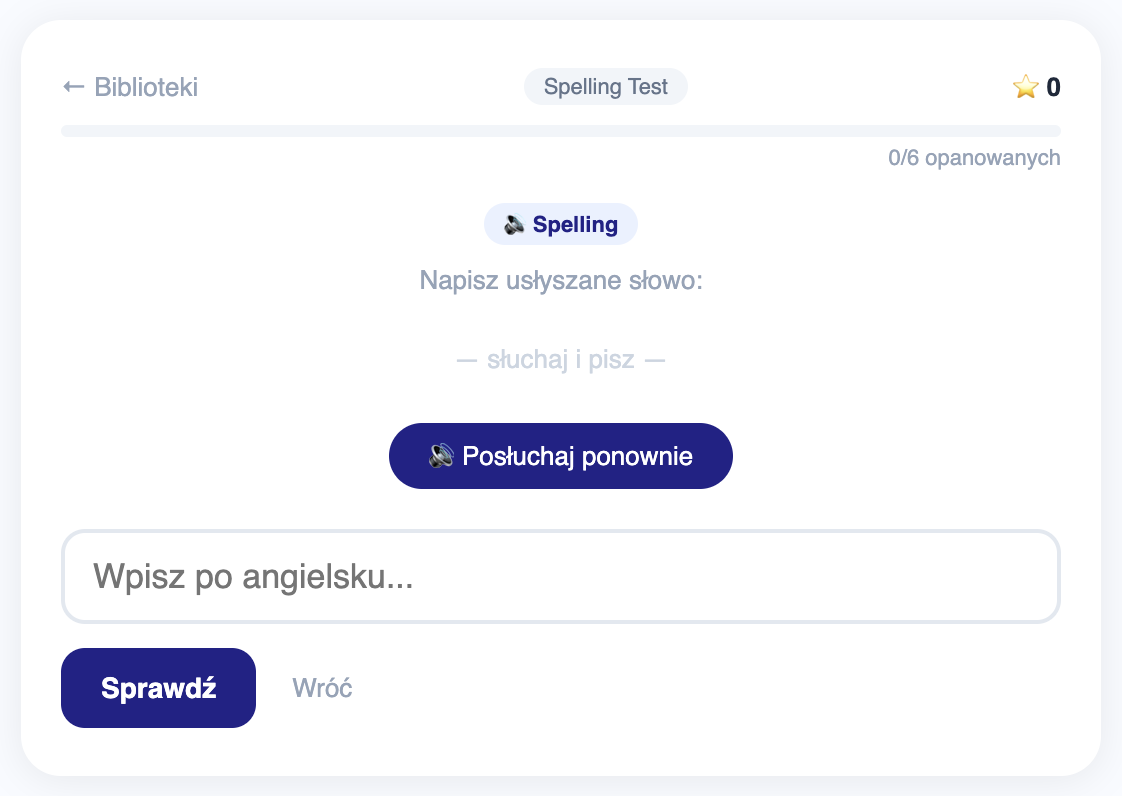
Spelling mode screen in the Szybka Nauka Sล‚รณwek app โ€” the child hears a word and writes it correctly
Spelling mode โ€” just like the real school test
๐Ÿ”Š a voice reads the word aloud
โœ๏ธ the child writes what they heard
Why it helps

You practise your own list โ€” not random flashcards

Exactly the words the teacher set for that particular week.

Paper notebook

Everything stays on paper

  • No quick way to review in the evening
  • No way to tell which words your child already knows
  • No one to say the word out loud
Generic flashcard apps

Ready-made sets that don't quite fit

  • Random words that aren't on the school list
  • Lots of features that distract from studying
  • Harder to match the actual spelling test
Szybka Nauka Sล‚รณwek

Your school list, real pronunciation, listening practice

  • You type in the exact words from the notebook
  • Real pronunciation for every word
  • Spelling mode practises exactly what's waiting at school
๐Ÿ‡ฌ๐Ÿ‡ง Built for British spelling tests

The child hears the word โ€” and writes it correctly

This is the app's main use today: weekly spelling tests at British schools. Just type in this week's word list, and the app will read each word aloud with real pronunciation โ€” exactly the way a teacher would during the test.

1. Type in this week's words from the notebook
2. The child listens and writes the word down
3. The app shows what still needs more practice
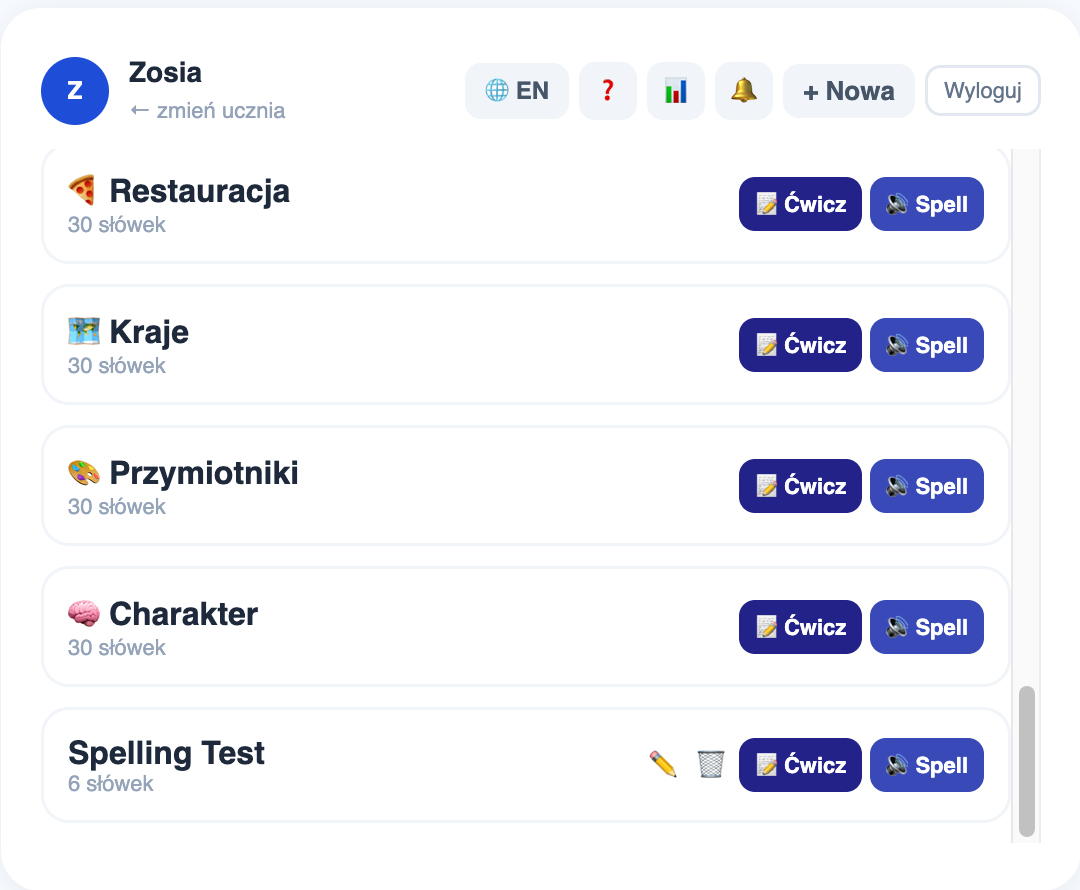
A student's list of word sets in the app
All features

Everything you need to practise vocabulary

The app is deliberately simple โ€” no extra features to distract from studying.

๐Ÿ“

Your own word lists

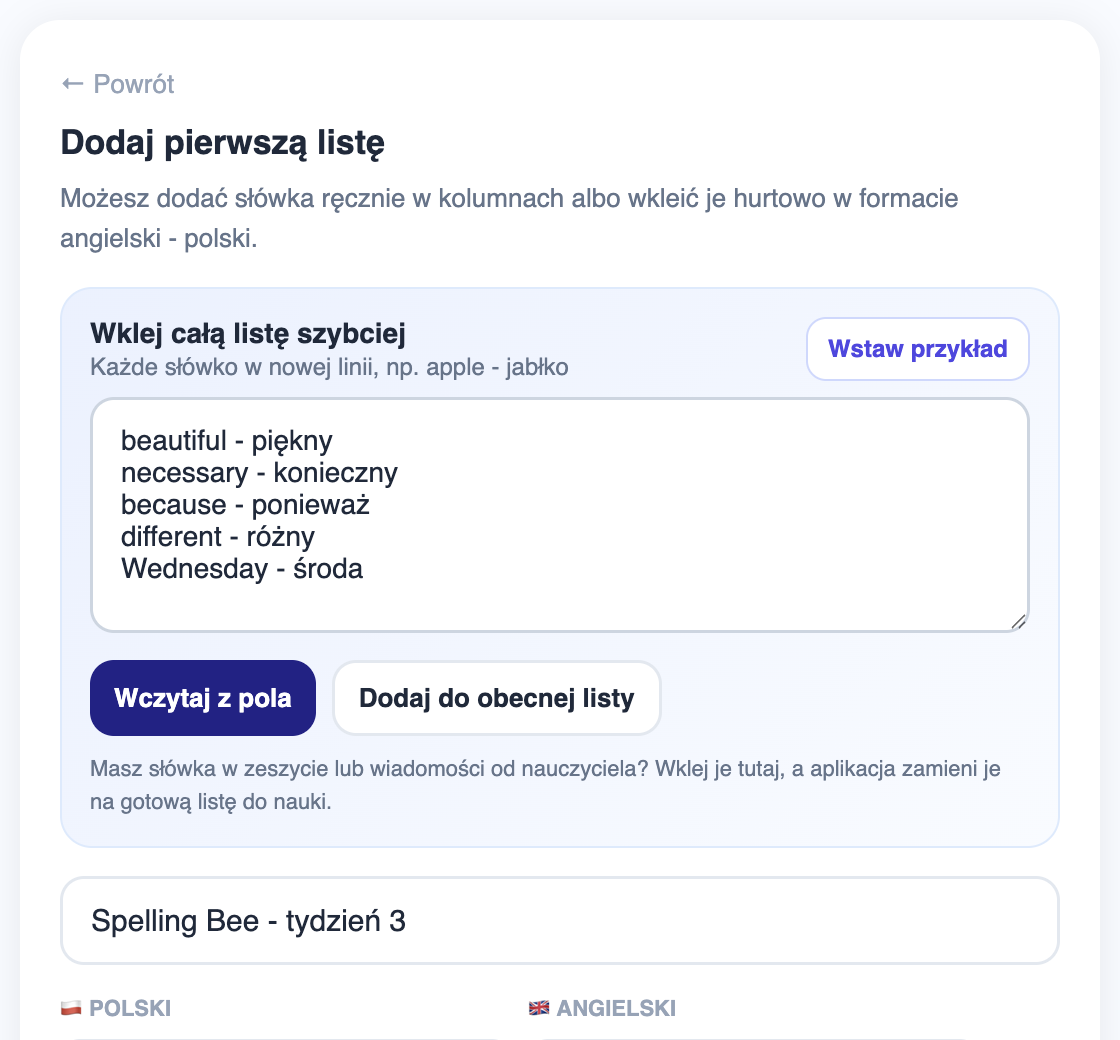
Type words in manually in two columns, or paste a whole list at once in the format english - polish โ€” a ready list in seconds.

Pasting a custom word list
๐Ÿ”Š

Spelling mode

The child hears a word spoken aloud and writes it down from listening โ€” exactly like a real spelling test at a British school.

โœ๏ธ

Practice mode

Classic translation from Polish to English โ€” a good complement for regular vocabulary tests, not just spelling.

๐Ÿ“Š

Progress and stats

See how many words your child has already mastered, their accuracy, and which lists are due for review after a longer break.

๐Ÿ””

Daily reminder

Set a fixed study time โ€” the app will nudge you before it becomes another last-minute evening.

๐Ÿ‘จโ€๐Ÿ‘ฉโ€๐Ÿ‘งโ€๐Ÿ‘ฆ

Up to two children per account

Each child has their own lists, their own progress and their own stats โ€” no mixing up siblings' results.

๐ŸŒ

PL / EN interface

Switch the whole app interface between Polish and English with one click โ€” handy when both languages are spoken at home.

๐Ÿ“ฑ

Phone and computer

The same lists and the same progress on phone, tablet and computer โ€” just log in.

๐ŸŽฏ

Short sessions

Practice focuses on the words your child doesn't know yet โ€” no repeating what they've already mastered.

Who it's for

For the child and for the parent

One app, two simple uses.

๐Ÿ‘จโ€๐Ÿ‘ฉโ€๐Ÿ‘ง

For parents

  • Type in the list exactly as it came home from school
  • Less nagging about starting practice, thanks to reminders
  • See what's giving your child trouble before the test
๐ŸŽ’

For the child

  • Only your own words from that specific week
  • A short session on your phone or computer
  • Hear the correct pronunciation of every word
  • See your progress after every session
How it works

Three steps to your first session

From creating an account to your first exercise takes under a minute.

1

Add your own words

Type in the list from the notebook, or paste it in the simple english - polish format.

2

Choose a practice mode

Spelling โ€” the child hears and writes the word, or Practice โ€” translating from Polish to English.

3

Review the harder words

The app tracks progress and comes back to the words that still need work โ€” before test day.

๐Ÿงช Test version

The app is completely free right now

Szybka Nauka Sล‚รณwek is currently in its test phase. Create an account and get full access to every feature straight away โ€” no limits, no card required, no hidden fees.

Using the app helps us improve it โ€” we watch how it performs in practice and fix what needs fixing most. You can read more about what data we analyse in the privacy policy.

No feesFull access to every feature for the duration of testing.
No cardCreate an account with just an email address โ€” nothing more.
We'll announce changesIf paid plans are ever introduced, we'll let you know in advance.
Full details are in the terms of service.
FAQ

Common questions before you start

Short, clear, no hidden catches.

What does "test version" mean?

The app is being actively developed and is currently free for every user. We're watching how it performs in practice so we can refine it before it grows further.

Does the app prepare children for spelling tests?

Yes โ€” that's its main use today. Spelling mode plays the pronunciation of every word on the list, and the child writes it down from listening, exactly as in a real spelling test at a British school.

Do I have to pay to get started?

No. You create an account and get full, free access straight away โ€” this is the app's test version.

Is my data safe, and what is it used for?

Account and learning-progress data is stored securely and used only to run the app and to analyse and improve its features. We don't sell it or share it for marketing purposes. Full details are in the privacy policy.

How is this different from free flashcards online?

You practise your own word list from that exact week โ€” no searching for ready-made sets that don't match what the teacher actually set.

I already have an account โ€” where do I log in?

Click "Log in" in the top-right corner, or go straight to the app.

Type in your first word list today

Creating an account and the first session together take under a minute. Test version โ€” access is fully free.

no card required British-school spelling tests your own words from the notebook PL / EN interface